How to Register Your CV on the South African Government Database for Learnerships, Internships and Jobs
Obtaining a job in South Africa is hard, particularly if you are unemployed, a new graduate or matriculant, or seeking your first job. Organising your job search with knowledge of where to register your CV and how to search for legitimate job opportunities can help you find a job.
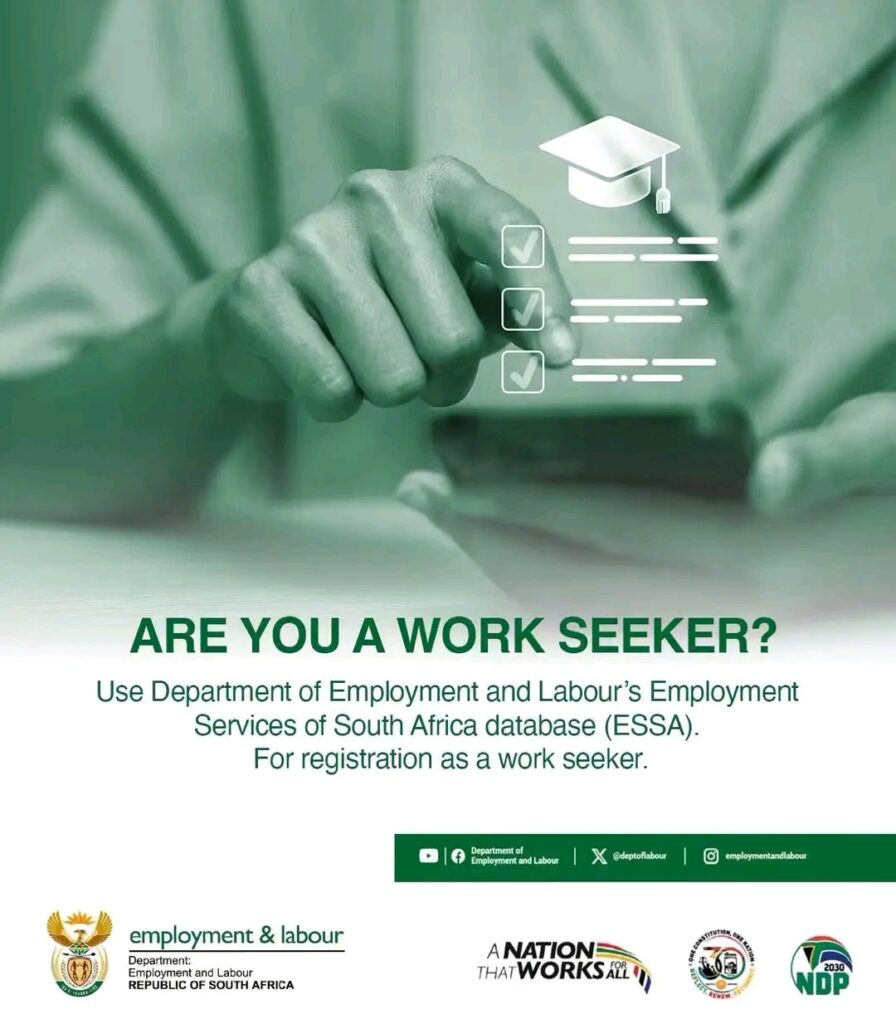
A good place to start is the Employment Services of South Africa (ESSA), which is an official employment services body managed by the Department of Employment and Labour. The platform enables job seekers to sign up their information, and to take their CVs and look into available work and learning opportunities.
The department’s official ESSA guide says registered job seekers can look and apply online for jobs posted by employers. The system enables the compilation of a CV from the information given by the user.
The official ESSA registration website is: https://essa.labour.gov.za/EssaOnline/WebBeans/
What is the ESSA Government Employment Database?
Employment Services of South Africa (ESSA). It is an employment service that is publicly offered, meant to help people find service and/or opportunities related to work.
Once registered and signed in, they are able to record their skills, training, work and qualifications. This information can be utilized in recruitment and selection process to make a match between the available opportunities and the suitable candidates.
For those looking for learnerships, internships, entry level jobs, training and advertised jobs, ESSA may come in handy.
Registration does not assure a job, however. It is important to note that the requirements of individual opportunities must still be met and the relevant application instructions followed.
You can read more through the official ESSA how-to guide.
People who wish to register their CV online should consider the following requirements.
Be ready for registration with the following information:
1. South African ID number
According to the ESSA registration instructions, each user should provide his/her surname, 13 digit identity number and e-mail address for registration. Make sure you have the right information.
If you do not have an identity number or are unable to register successfully, use the instructions on ESSA or contact the Department of Home Affairs to check your identity details.
2. Valid email address
Your email is important since ESSA states that successful registrants will be emailed their username and password. Use an address that you can access, and check regularly.
Before you register, if you don’t have an e-mail account, you must get one from a trusted e-mail provider.
3. Cellphone number
Maintain an active cell phone number for business communication. A selection of applicants may be contacted by telephone or for further information by some employers.
4. Educational information
Get ready to provide information on your highest level of qualifications, such as matric certificate, diploma, degree, TVET qualification or relevant courses.
If still in school, specify the correct status.
5. CV and supporting documents
Create a new CV that includes your contact details, education, skills, work experiences (if applicable). Be sure to keep copies of your qualifications and supporting documents on hand, but only present them in a legitimate application process.
This is a step-by-step guide to registering on ESSA.
To create your work-seeker profile, follow these steps:
Step 1: Visit the official ESSA website.
Access the ESSA online registration website on your cell phone or computer.
Another option is to check the Department of Employment and Labour website and see their online employment services.
Be sure that the website is the official government site before you give out any personal information.
Step 2: Click on the individual registration option
For registration on the ESSA website, navigate to the Individual section and click on the REGISTER INDIVIDUAL, or Click here to register button.
This option is for those seeking employment or educational activities. Employer/organisation registration is not for the purpose of this.
Always follow the instructions appearing on the website in use as the appearance of the website can vary.
Step 3: Enter your registration information.
The official ESSA registration instructions ask for your surname, 13 digit ID and your email.
Fill in the security verification box that appears on the web page and confirm the information prior to submitting it.
If your details are rejected, ensure that you haven’t made a typing mistake. If this is a problem, refer to the official instructions or ask the department for help.
Step 4: Register as follows
If necessary, read and accept any terms and conditions that apply, then register.
According to ESSA, successful registrants will be sent their username and password via email. If it doesn’t show up right away, please look for it in your inbox or spam folder.
Do not provide your password or verification information to anyone who offers to help you get a job.
Step 5: Log in to your account
Go back to ESSA and login with the username and password given by the system.
If you are not able to log into your account, check the recovery link to your password. For further information, contact the Department’s official channels.
Step 6: Finish your steps to become a job seeker
After logging in, provide the information you are asked for concerning your personal information, contact info, education, training, skills and employment history.
Fill out the correct information in your profile. Never pretend to qualifications you haven’t acquired or work experience you do not possess.
The department also has a how-to guide for ESSA, which offers additional guidance for creating a profile and searching for opportunities.
Step 7: Find the appropriate opportunities
Tap into the job search options provided to you.
Be sure to carefully read the listings before applying. Please see what is required, where it is held, the closing date, required documents and application process.
Note that although you register on ESSA doesn’t mean you have applied for every position advertised by Government Departments, or other employers.
How to prepare a CV for Learnerships and Internships
A strong CV can enable employers to see your abilities and qualifications. Doesn’t require a complicated pattern for functionality.
If applicable, add the following sections:
- Contact information: Your name, cellphone number, email address and general location.
- Career objective: A brief description of the type of opportunity that you are looking for.
- Education: Your qualifications, institutions and completion dates.
- Skills: Relevant computer, communication, administrative or technical skills.
- Work experience: Work experience, duties and accomplishments.
- More experience: Volunteering, community work, projects or work experience.
If you don’t have a work history, you can write:
I am a job seeker who is motivated and reliable and wants to start at a lower-level position to learn new skills, get real-world experience in a job and make a positive difference as part of a team.
Modify this statement to suit your own experience and objectives. Do not falsify qualifications or experience to build up your CV.
Getting a Learnership, Internship or Government Job
While ESSA may be one avenue, other official avenues may lead to more opportunities.
1. SAYouth.mobi
Website: https://sayouth.mobi/
SAYouth brings young people together with opportunities – including work experience and training and employment. Set up a profile, research and apply for programmes as per their instructions.
2. South African Government Jobs
Website: https://www.gov.za/jobs
The official government jobs website is offering information on public service vacancies and guidance to people looking for government jobs. The advertised positions listed in the Public Service Vacancy Circular are from the national and provincial government departments.
It is important to read the vacancy announcement thoroughly as some have a specific application form, supporting documents and/or an independent application process.
3. Department of Employment and Labour
Website: https://www.labour.gov.za/
This department offers the details regarding employment services, labour issues and employment opportunities within this department. It also has an official website that provides guidance and assistance on ESSA.
Please review each job posting to see the requirements and apply on time for each posting.
Common Mistakes to Avoid
When it comes to signing up for and enrolling in opportunities, watch out for these pitfalls:
- Entering wrong identity or contact information.
- Not filling out crucial information on your profile.
- Using an old e-mail account.
- Filling out job applications that do not meet the minimum job requirements.
- Failing to meet closing deadlines, or providing incomplete applications.
- Assuming that if a position is registered with ESSA, it is automatically registered with the ESSA system.
- Giving misleading information on qualifications or experience.
Maintain your profile when you finish a course, get a new qualification or work experience. Keep an eye on job boards for jobs that fit the bill.
How to Avoid Government Job Scams
Anyone looking for jobs should beware of individuals who guarantee a position in exchange for payment.
ESSA’s public employment services are offered free of charge. Avoid paying an unknown person to register your profile, to guarantee shortlisting or to promise a government position.
Make sure the job is posted on the official website of the recruiting organisation or on a legitimate job site prior to applying.
When providing copies of identity documents, qualifications and other personal details, take care. Only submit these documents if necessary and via the relevant application process.
Do not provide your banking password, email password or one-time verification code to a recruiter.
In case you believe you have come across a fraudulent advertisement, you can reach the appropriate department with information from the official website of the advertisement.
Frequently Asked Questions
Well, is ESSA free to register on?
Yes. The Department of Employment and Labour provides its public employment services free of charge. Do not be deceived by individuals who require a fee to sign up for certain employment.
Is there any work experience necessary for my registration?
Yes. Newly registered job seekers are available to register as work seekers. Include correct details of your education, skills and training and any relevant volunteer or practical experience.
Do matriculants qualify for a learnership?
There are some learning opportunities that accept only applicants with a matric certificate and others that require specific subjects, further qualifications or other requirements. Be sure to read the specific advertisement.
Will ESSA provide employment?
No. Registration does not guarantee employment services or employment, employment depends upon the availability of employment positions, eligibility criteria and employers’ decisions of employment.
What if I am not able to register?
Ensure your information is accurate and follow the instructions on screen by ESSA. When the problem persists, refer to the official ESSA registration page and/or the Department of Employment and Labour for help.
Is it necessary to apply separately to get a government job?
In many cases, yes. Some opportunities are available to apply via ESSA and others will have a separate application process through a government department or recruitment portal. Please refer to the instructions for each separate position.
Conclusion
It is also a useful step to get your CV on the South African government job database.
The first place is ESSA, sign up as an individual seeker and fill in your profile with accurate information that can be found about your education, skills and experience. Next, look for appropriate opportunities and apply with caution following the directions given carefully.
Another way to find more opportunities is to check out the South African Government Jobs website, SAYouth.mobi and the provincial recruitment portals.
Keep in mind that getting a job is not a guaranteed outcome of registering. Ensure your information is current, make a qualified CV and prevent recruitment rip-off.
